Google Maps Scraper Chrome Extension
Extract Business Name, Address, Phone, Website, Rating & Reviews directly from Google Maps. Export to CSV, JSON or XLSX instantly.
Download Extension (.zip)Powerful Google Maps Lead Extraction Tool
The Google Maps Scraper Chrome Extension is designed for marketers, agencies, data analysts, and lead generation professionals who need accurate and structured business data directly from Google Maps.
Instead of manually copying business listings one by one, this extension automates the entire extraction process. Simply search for any keyword such as " restaurants in New York ", " real estate agents in Dubai", or " clinics in London" copy a url and extract hundreds of business records in minutes.
All extracted data can be exported into structured formats like CSV, XLSX, or JSON, making it easy to upload into CRM systems, email marketing tools, or perform competitor research and market analysis.
What Can You Extract?
Business Details
Business Name, Full Address, Category, Plus Code
Contact Info
Phone Number, Website URL, Opening Hours
Review Data
Average Rating, Total Reviews Count
How to Use the Google Maps Scraper
How to Install the Extension
Step 1: Download the ZIP File
Click the download button and save the extension ZIP file.

Step 2: Extract the ZIP
Right-click the file and select Extract Here.

Step 3: Open Chrome Extensions
Go to chrome://extensions/ in your browser.

Step 4: Enable Developer Mode
Turn on Developer Mode (top right corner).
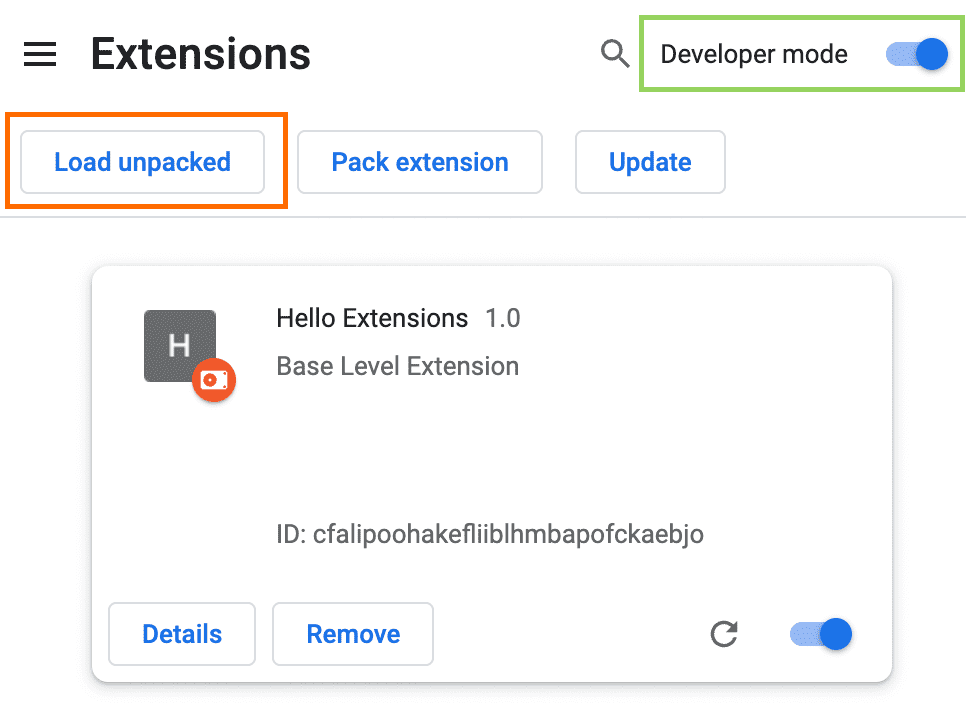
Step 5: Click Load Unpacked
Click Load Unpacked and select the extracted folder.
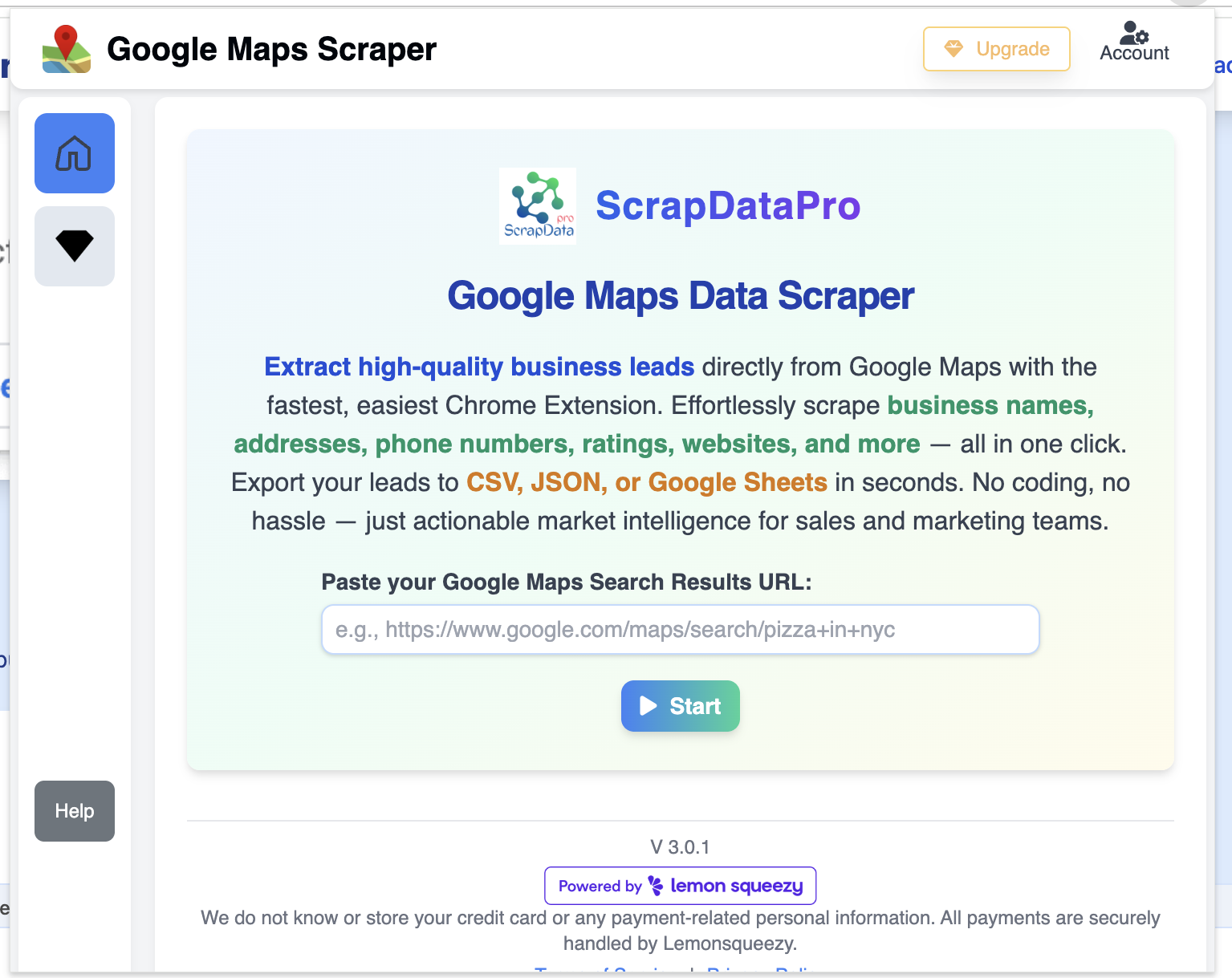
Step 6: Start Scraping
Open Google Maps and begin extracting business listings.
Need Help?
Contact us for support or custom scraping solutions.
contact@scrapdatapro.com